Technical SEO Basics
Technical SEO sounds intimidating, but most of it is straightforward once you know what problem each piece solves. Here's the real foundation, without the jargon.
Technical SEO has a reputation for being the intimidating part, the domain of developers and specialists, best left alone by everyone else. Most of it is actually straightforward once you understand what problem each piece is solving. Here’s the foundation, without the jargon.
Crawlability: can search engines actually reach your pages?
This comes down to a few concrete things: a working, accurate robots.txt file that doesn’t accidentally block pages you want found, an XML sitemap submitted through Search Console, and internal links connecting every important page to at least one other page on your site. A page nobody links to and that isn’t in your sitemap is functionally invisible to a crawler, however good the content on it is.
Indexation: is Google actually storing what it finds?
Being crawled doesn’t guarantee being indexed. Check Search Console’s Pages report regularly for URLs stuck in “Discovered, not indexed” or “Crawled, not indexed.” This usually means thin or duplicate content, a technical block you didn’t intend, or a signal to Google that the page isn’t worth including. A rising pile of unindexed pages is one of the clearest, most overlooked warning signs a site can show.
Site architecture: is your structure logical?
A well-architected site organizes content into clear categories, with important pages reachable within a few clicks from the homepage, not buried ten levels deep. Flat, logical structures make it easier for both crawlers and humans to understand what your site covers and how everything relates. If your most important service pages require a long chain of clicks to reach, that’s a structural problem worth fixing before anything else.
Canonicalization: telling Google which version counts
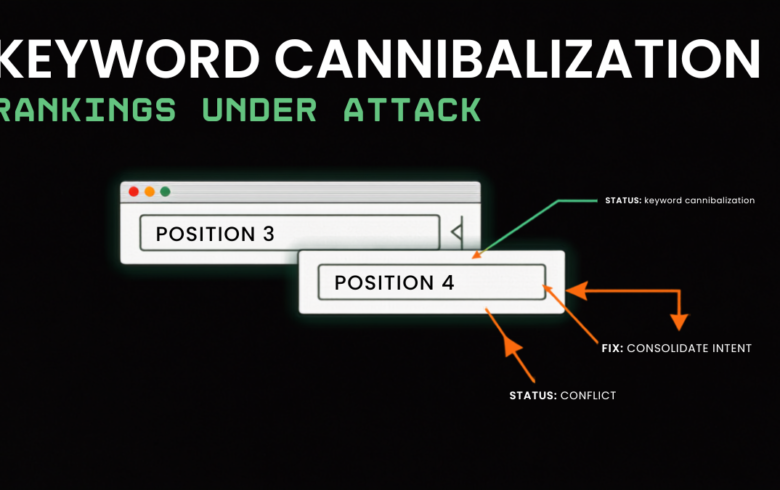
Many sites accidentally create multiple URLs for what’s effectively the same content: with and without “www,” with tracking parameters, filtered product listing variations. A canonical tag tells search engines which version is the “real” one to index and rank, consolidating signals that would otherwise be split across duplicates. This matters especially for e-commerce sites with filters and facets, which can generate thousands of near-duplicate URLs if left unmanaged.
Structured data: helping machines understand context
Schema markup is a standardized code format that explicitly tells search engines what kind of content a page contains: a recipe, a product with a price, a review, an FAQ. It doesn’t guarantee better rankings directly, but it does make your content easier for search engines, and increasingly AI systems, to parse and potentially feature in rich results or AI-generated answers.
Mobile and HTTPS: table stakes, not extras
Google indexes the mobile version of your site by default, so a site that isn’t genuinely usable on a phone is at a structural disadvantage regardless of desktop quality. Similarly, HTTPS (a secure connection, shown as the padlock icon) is a baseline trust signal at this point, not a nice-to-have.
A practical starting checklist
- Confirm your robots.txt isn’t blocking anything important, and your XML sitemap is current and submitted
- Check the Pages report in Search Console for unindexed URLs and investigate the pattern
- Map your site structure: are important pages reachable within 3 clicks of the homepage?
- Add canonical tags anywhere duplicate or near-duplicate content exists
- Add basic schema markup to key page types: products, articles, FAQs, local business info
- Confirm your site works cleanly on mobile and is served entirely over HTTPS
Technical SEO is invisible when it’s working and expensive when it’s broken, which is exactly why it gets skipped by agencies looking to show flashier progress elsewhere. Get this foundation right first. Everything else in SEO is built on top of it.